Interactive lighting, before a single fixture is installed

See & control smart lighting in a space like yours.

Step into a photorealistic room and operate the real control app – set groups, build scenes, tune color and brightness on every luminaire. No hardware, no guesswork. Just your space, lit the way you imagine it.

Casambi Office live today. Other lighting control systems coming soon.

BandGap – the Casambi Office simulator, Focus scene Open the live Office → Hover: Focus → Color Pop
Casambi live now · Other lighting control systems coming soon · Photorealistic simulation · Built by BandGap
Why BandGap

The light is decided before it exists.

In a semiconductor, the band gap is the energy an electron gives up when it falls from the conduction band to the valence band. That drop is the photon, and the width of the gap sets its color — a wider gap, a bluer light. The gap is fixed before any current flows: the light is decided before it exists.

That is where BandGap works. It is a simulator of the whole lighting system — the fixtures, the controls, the app in your hand — running on a photoreal room. You experience the space through light before anything is installed.

Environments

Find the space that feels like yours.

Every environment is a real, controllable room. We're launching with the Casambi Office and adding new rooms and control systems continuously – each one a place to experience the system in context.

● Live now

Office

Workstations, linears, pendants, conference – two camera views, seven scenes, a 24-hour schedule, and the physical switches beside the room.

Coming soon

Hospitality

Restaurants, bars & hotel lobbies.

Coming soon

Retail

Storefronts, displays & showrooms.

Coming soon

Art & Culture

Galleries & museums.

Coming soon

Education

Libraries, classrooms & campuses.

Coming soon

Worship

Churches & sanctuaries.

Coming soon

Healthcare

Care spaces & circadian lighting.

Coming soon

Residential

Living spaces & smart homes.

Coming soon

Outdoor

Facades, landscapes & architecture.

How it works

Everything the app does – on a room, not a spec sheet.

The same controls a commissioner uses on-site, running on a space that looks like the one you're designing. Change something, and the room changes with you.

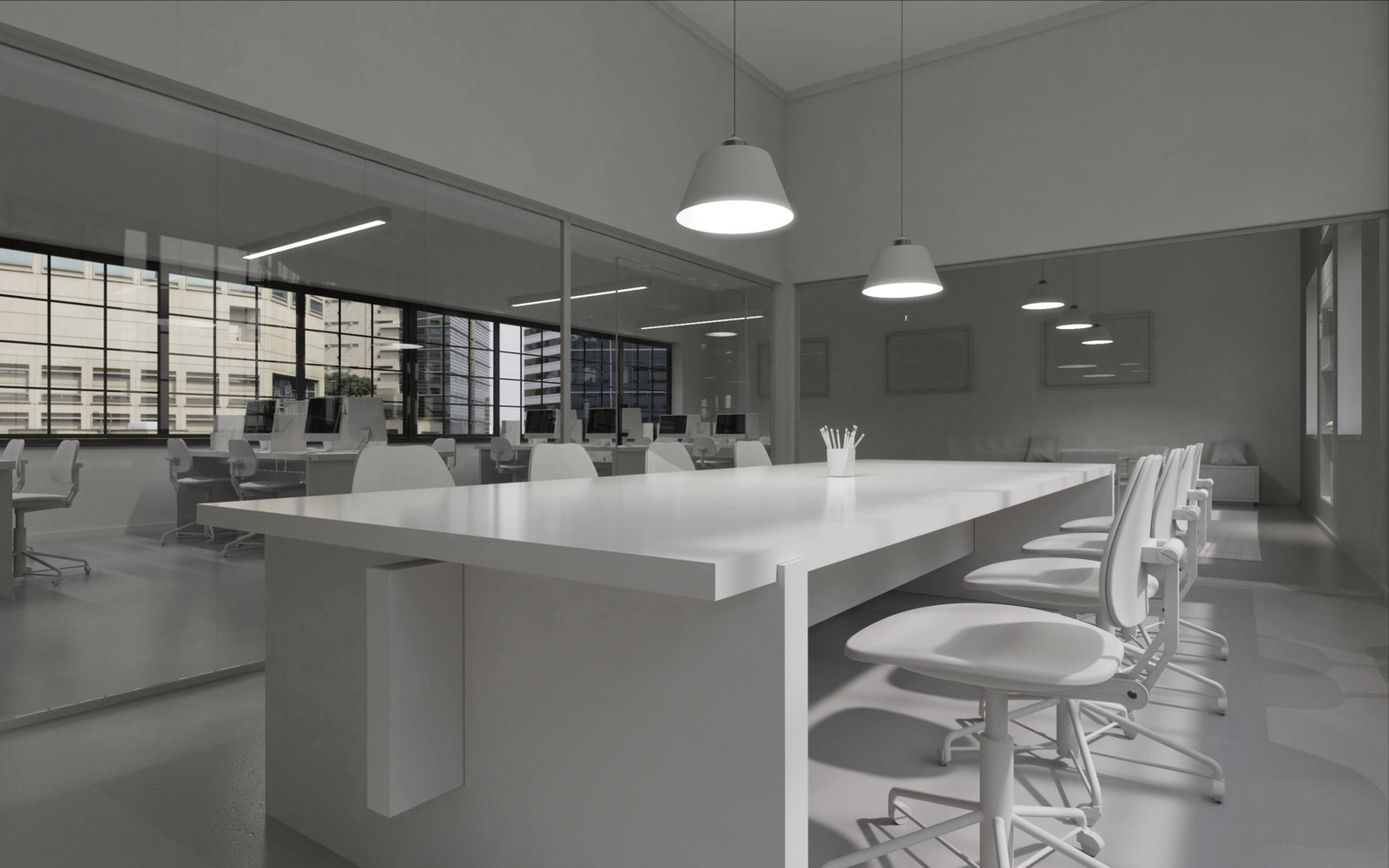
Conference view, Focus scene
Focus – the working light, 8 a.m.
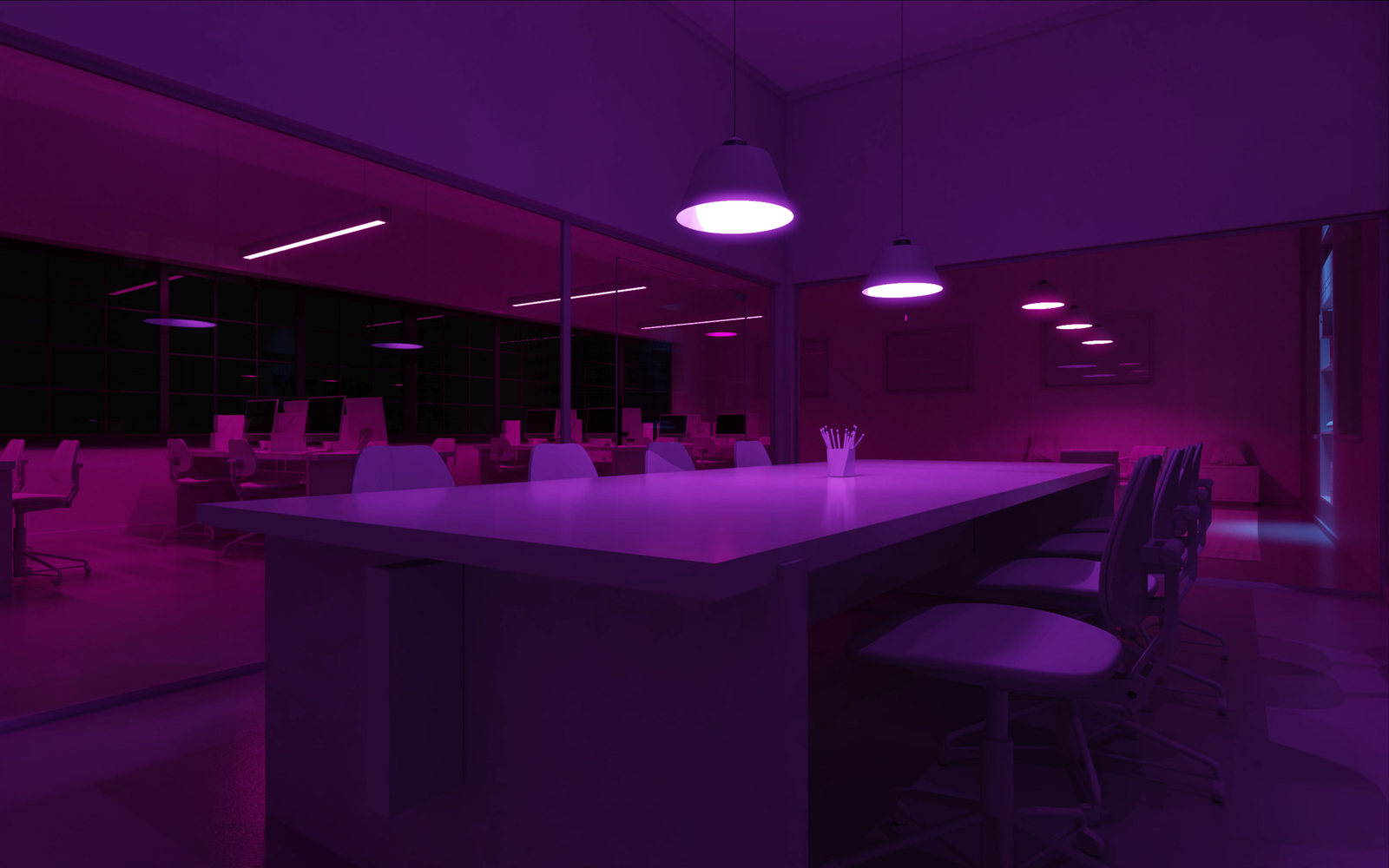
Conference view, Color Pop scene
Color Pop – the same room, the same fixtures, one scene later.

The room is rendered once in clay – a neutral grey – so every color you see is computed live from the light itself, not painted on. That is what makes the simulation exact.

Control every luminaire

Dim, tune white, or set any color – per fixture, per group, or all at once.

See it photoreal

Watch light change on the actual room, not a diagram – Casambi's Gallery, brought to life.

Build scenes & schedules

Create scenes, animations and circadian schedules exactly as you would on-site.

Learn as you go

Guided walkthroughs teach the app while you explore – no manual required.

Training mode

Learn Casambi by doing, not reading.

Interactive lessons sit right on top of the rendered room. Specifiers, installers, and end users can learn commissioning, grouping, and scene-building hands-on – the perfect companion to Casambi's certification path.

  • Step-by-step overlays guide each action
  • Practice on a live room with no hardware to break
  • Great for onboarding teams, clients, and reps
Lesson 1 · Create your first group

Tap the linear lights, then “Group.”

A highlighted prompt points to the exact control – you tap, the room responds, the lesson advances.

From the studio

We got tired of watching good lighting get value-engineered away.

For three decades I've helped lighting and smart-technology brands tell their stories. In that time I've watched the same thing happen on project after project: a thoughtful lighting scheme gets value-engineered away, because the client can't picture what they're paying for. A rendering on a page doesn't let you feel the difference between 2700K and 4000K, or what a scene does to a room at dusk.

So I built the thing I wished existed: step inside the design and touch it, using the exact controls that will run the space once it's installed. The Office is where we started. It isn't where we intend to stop.

– Adam Lenio, founder

About the founder

Adam Lenio is the founder of Art, Design & Marketing (AD&M), a Rochester, NY studio working in brand strategy, 3D visualization and product launch. His client history runs through the lighting and controls industry – Legrand North America, Vantage, Wattstopper, Pass & Seymour, On-Q, QMotion – alongside work for Kodak, Canon, ASSA ABLOY and Vuzix. He designed the brand and launch story for a CES Best of Innovations winner in home networking, holds a BFA from Alfred University, and has been building photorealistic product visualization in KeyShot for over a decade.

BandGap is not client work. It is a separate, patent-pending platform he designed, built and operates himself – the render pipeline, the compositing engine and the control integration are his own – developed as a standalone product for the lighting industry rather than as a service offered by the studio.

Ready for the real thing?

Connect with a Casambi expert near you.

Loved what you built in the simulator? We'll route you to a local Casambi representative who can turn your virtual scene into an installed reality – with the right fixtures, controls, and design support.

Specifiers & designers welcome – tell us about your project and we'll make the introduction.

Find the expert for your region

Pick your territory and tell us about the project. We'll pass it to the Casambi rep partner who serves your area.

Find your rep →
For professionals & partners

Bring your own space, hardware, or fixtures.

BandGap is built to open up – for the designers who specify, the makers who build controls, and the manufacturers whose fixtures deserve to be seen in context.

Custom environments

Architects & designers submit a space or 3D model – we build a bespoke, controllable simulator of your actual project.

Keypad & control interfaces

Keypad makers for any supported control system appear as a live, interactive control panel – visitors operate the room through your hardware.

Fixture showcase

Luminaire manufacturers feature real products inside the room, shown exactly as they'd light a client's space.

Start in the Office. Imagine the rest.

Experience the full control app on a photoreal room right now – and be first to know as new environments launch.

Launch the Office demo Get launch updates